
Free online file converter
Free file converter for images and MP3
Convertola is a free online file converter for everyday files: convert images between JPG, PNG, WebP, GIF, TIFF, BMP, and ICO, turn video or audio into MP3, and remove a photo background. No account needed.
- Free, no sign-up
- Image converter
- MP3 converter
- Background remover

Tools
Free file converter tools
Image Converter
Free image converter for JPG, PNG, WebP, GIF, TIFF, BMP, and ICO. Resize, crop, or shrink a picture. Your file is uploaded, converted, and deleted shortly after.
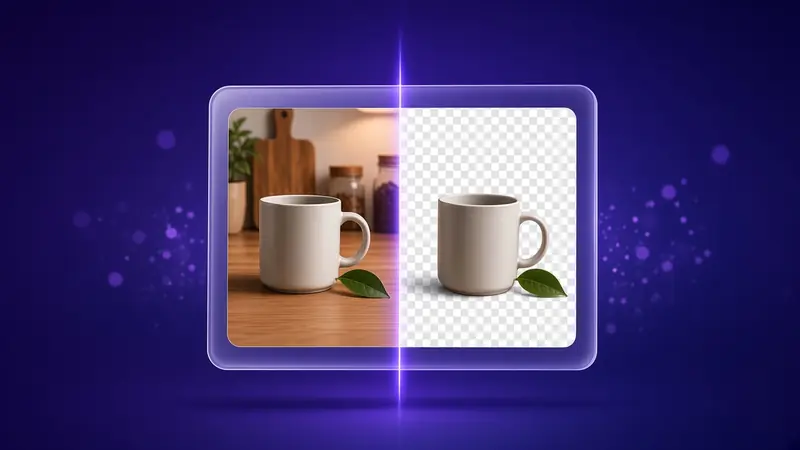
Background Remover
Remove the background from photos of people, pets, and products with AI. The picture stays in your browser, and you download a transparent PNG.
MP3 Converter
Convert video and audio files to MP3, from MP4, MOV, WAV, M4A, and more. It runs in your browser at 128 to 320 kbps, with no upload.


Supported files
Every supported format at a glance
The file formats each tool works with.
Why Convertola
Why use this free file converter
Three rules every tool follows.
Clear about your file
Every tool tells you, right next to the file picker, whether your file is uploaded or stays in your browser.Formats listed up front
Each page names the file types it accepts and what you can save, before you choose anything.A clean download
The download appears as soon as the converted file is ready, with a file name you can change.
Features
What every online file converter here includes
The same in every converter, from the file you pick to the download.

Formats named on the page
Each converter lists the files it accepts and the formats it can save.
- JPG, PNG, WebP, GIF, TIFF, BMP and ICO images
- Video and audio files to MP3

Output you control
You set the quality, dimensions, and file name, so the result matches what you chose.
- Quality, bitrate and dimensions
- A file name you can edit

The result, ready to save
The download appears as soon as the converted file is ready.
- No account or sign-in
- One clear download button
How it works
How to convert a file online for free
Three steps, whatever the file.

Match the file to the tool
Open the converter for the kind of file you want to change. The image converter handles photos and graphics, the background remover cuts a subject out into a transparent PNG, and the MP3 converter turns video and audio files into MP3.
Set the output
Choose the output format, quality, or bitrate, and change the size or file name if you need to.
Download the result
Save the file as soon as it is ready. A browser tool keeps the result in this tab only, so download it before you leave the page.
Privacy
File handling and privacy
Every file converter says whether your file is uploaded or stays on the device, and how long a finished file remains available.

Uploaded files
When a tool uploads a file, the result is stored for download and then deleted on the schedule that page shows. It is not added to a public gallery.Browser tools
When a tool runs in the browser, that file is not sent to Convertola. Download the result before you leave the page.Open access
There is no sign-in and no library of earlier conversions. Each visit starts with the file you choose.
Formats
Popular file conversions


Guides
Latest guides
- Convert Audio and Video

VBR vs CBR MP3: What's the Difference and Which Should You Use?
VBR vs CBR explained: how variable and constant bitrate MP3 encoding work, how they compare on quality, size and compatibility, and when to pick each one.
Read the guide - Convert Audio and Video

What MP3 Bitrate Should You Use? 128 vs 192 vs 320 kbps
Which MP3 bitrate to choose for voice, music and archives. 128 vs 192 vs 320 kbps compared with measured file sizes, CD quality and CBR vs VBR explained.
Read the guide - Convert Audio and Video
Convert to MP3 on Windows 10 and 11: Free Options Compared
Free ways to convert audio and video to MP3 on Windows 10 and 11: a browser converter, Windows Media Player for CDs, and VLC. Steps and settings.
Read the guide - Convert Images
How to Make a Favicon (ICO) From a PNG
Turn a PNG logo into a favicon.ico: prepare a square transparent image, convert PNG to ICO, add the right link tags, and fix a favicon that won't update.
Read the guide - Convert Audio and Video
Screen Recording to MP3: Get the Audio From Any Screen Capture
Get the audio from a screen recording on iPhone, Mac or Windows and save it as MP3. Record with sound, find the file, then convert it in your browser.
Read the guide - Convert Audio and Video
How to Convert to MP3 on a Chromebook
Convert MP4, M4A, WAV and screen recordings to MP3 on a Chromebook right in Chrome. Where ChromeOS saves files, Google Drive tips, and what to do with large files.
Read the guide - Convert Audio and Video
How to Convert a CD to MP3, and Why .CDA Files Won't Convert
Rip an audio CD to MP3 on Windows or Mac, and learn why .cda files can't be converted. Settings, steps and what to do with WAV or FLAC rips.
Read the guide - Convert Images
How to Convert WebP to JPG on Any Device
Saved an image and got a .webp file your app won't open? Convert WebP to JPG on Windows, Mac, iPhone, Android or online, and keep the quality you need.
Read the guide - Convert Audio and Video
How to Convert Cassette Tapes to MP3: Equipment, Settings and Steps
Digitize cassette tapes to MP3: the equipment you need, how to record the tape on a computer, the best settings, and how to turn the recording into MP3.
Read the guide


FAQ
Frequently asked questions
What can this free file converter convert?
Images between JPEG, PNG, WebP, GIF, TIFF, BMP, and ICO with the image converter, video and audio files such as MP4, MOV, WAV, M4A, and FLAC to MP3 with the MP3 converter, and photos into transparent PNG cutouts with the background remover. Convertola does not convert PDF, Word, or other documents.
Is this online file converter safe? Are my files uploaded?
The image converter uploads a file and then deletes it on a schedule. The background remover and the MP3 converter stay in your browser. Those tools download an engine, and the file is not sent to Convertola.
How do I convert a file online for free?
Open the converter that matches your file, choose the file from your phone or computer, set the format or quality, and download the result. There is nothing to install.
Is Convertola free, and do I need an account?
Every converter is free to use, and there is no sign-up or account.
How large can a file be?
An image can be up to 10 MB. Audio or video for an MP3 can be up to 150 MB. Each converter takes one file at a time.
How long is a converted image available?
The image download works for 15 minutes, and then the file is deleted. An MP3 made in the browser should be saved before you close the tab.
Will an image look the same after conversion?
JPEG and WebP follow the quality you choose. That control starts at 100. A lower number usually makes a smaller file and can show artifacts. PNG does not add a lossy step, and it cannot bring back detail a JPEG already lost.
Which MP3 bitrate should I choose?
Start at 192 kbps for music. 128 kbps is often enough for speech. 256 and 320 kbps keep more of a clean source. A higher bitrate cannot create detail the original file did not contain.
Which browsers can run Convertola?
Current Chrome, Edge, Firefox, and Safari can open the site. The MP3 converter and the background remover also need WebAssembly in that browser.
Get started
Pick a file and start converting
Free, no account, and the download is ready as soon as it finishes.